Update default columns on Savings Milestones table
Update the default column layout for the Milestones table within an individual Savings record page.
This change is only to the default view of the existing table:
- No new fields are being added
- This is strictly a change to what is shown by default and the order of those columns
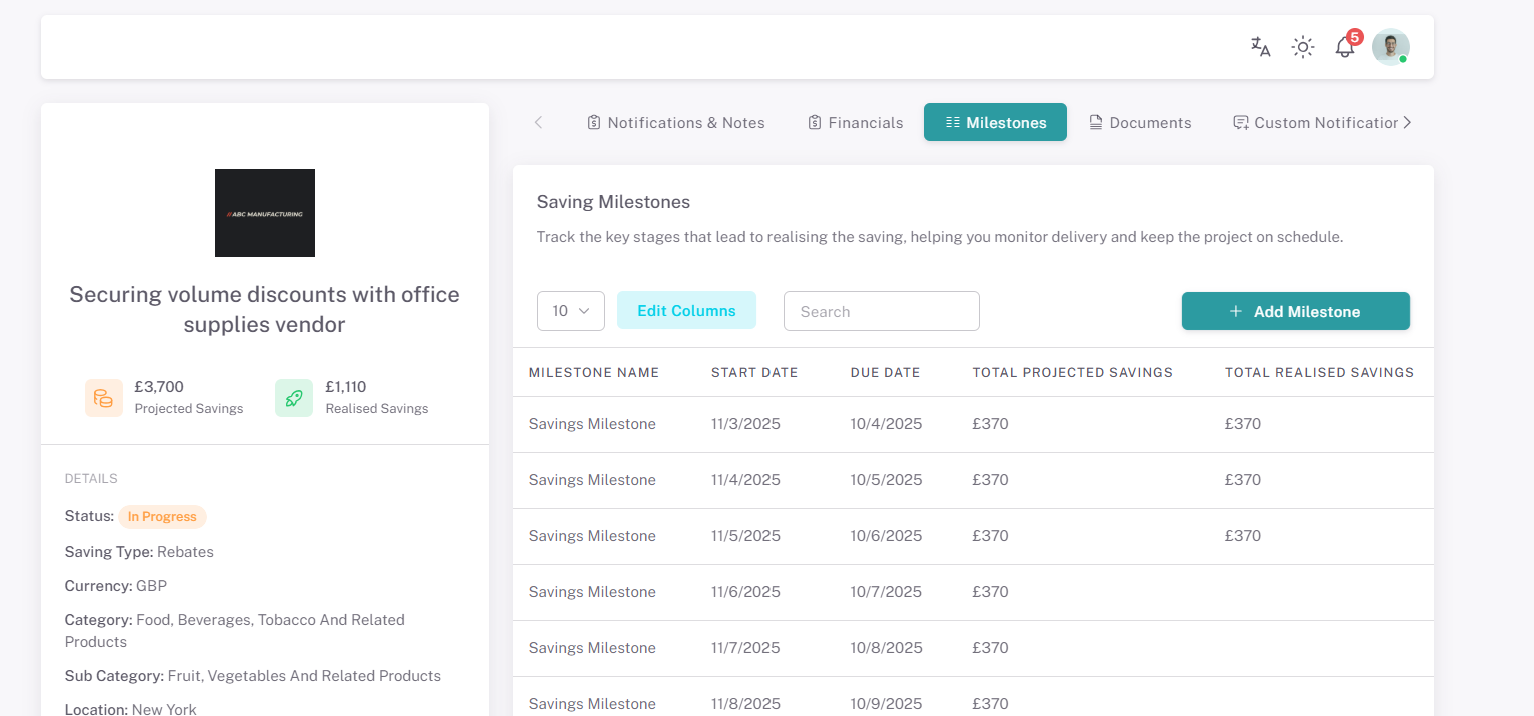
Required changes (see screenshot below):
- Remove Baseline Spend from the default view
- Add Total Projected Savings to the default view
- → Insert after “Due Date”
- Add Total Realised Savings to the default view
- → Insert after “Total Projected Savings”
URL
Savings → Open a savings record → Milestones table